Understands your store
Trained on Shopify, Liquid and how real themes are built — so it speaks sections, not generic code.

Klorr lets you create, edit, and customize Shopify sections without code. Build exactly what you imagine — fast, flexible, and completely yours.
Loved by 1,000+ creators & brands
 Built for Shopify


Klorr knows Shopify's section schema, blocks, and settings cold — so the code drops straight into your theme, no cleanup.
Describe what you want in plain English. Klorr handles the markup, the logic, and the schema — you just say what to change.
Install is just: describecopypastesave.
Purpose-built for Shopify means no wasted tokens wandering through generic answers. You pay for sections, not conversations.
Clean, valid Liquid that's ready to push live — not a rough draft you have to debug before it touches your store.
Not a generic chatbot guessing at Liquid. klorr is built for one job — turning your words into real, production-ready store sections.
Trained on Shopify, Liquid and how real themes are built — so it speaks sections, not generic code.
Type what you want in plain English. klorr turns the idea into a real, editable section — no theme surgery.

Check the output, choose what stays editable, and regenerate until it's exactly right.

Purpose-built for Shopify means no wasted tokens wandering — you pay less and get code that works.

Every tool starts with a frustration. Here’s ours — and how it became a developer that never sleeps.
We'd built the same Shopify sections over and over — each one hours of Liquid and schema that broke the moment you hit save.
What if a store owner could say what they wanted in plain English — and get it back clean, ready to install, in seconds?
That question became Klorr — plain words in, production-ready Liquid out.
Liquid, schema, theme structure — and the rules that make code actually save, not just compile.
Ask for it wider. Then narrower. Then back again. No sighing, no rescheduling, no invoice for the extra round.
A developer's mind. A machine's patience. Describe your section — Klorr builds it, clean and installable.

Tell klorr what you want in plain English. It writes the Liquid, the schema and the settings — ready to paste into your theme.
Start buildingProjects, sections, generations and marketplace sales — the work and what it earns, on one screen.
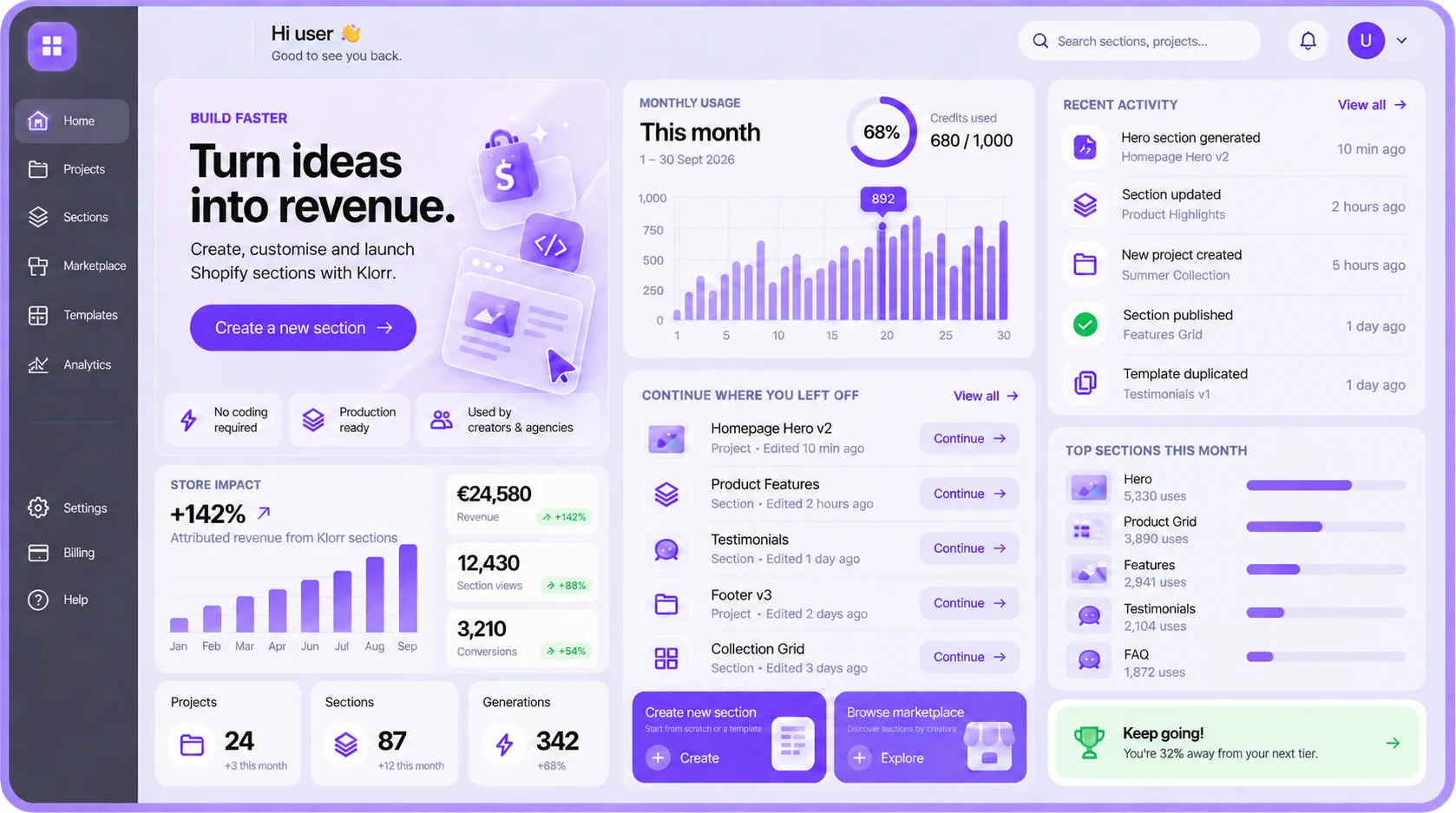
Klorr turns a sentence into a section your client can edit — schema, blocks, responsive CSS and all. No snippets to patch, no theme to break.
Describe it
Klorr reads your theme first, then writes a section that belongs in it.

Text, images, counts and toggles all arrive as real settings — up to Shopify's own ceiling of 50 blocks a section. Your client edits them; you never get the email.

Hand it your theme's CSS and fonts once. Colours, type scale and section padding are written against those — not against a template.

English, Spanish, French, German, Dutch, Portuguese, Italian. The Liquid comes back the same.

The five things people ask before they generate their first section. Anything else, ask us.
Start buildingEvery section ships with
Shopify admin → Online Store → Themes → ⋯ → Edit code on your active theme.
sections/ → bestsellerscroller.liquid
Open the Code tab on the right. Click Copy. Select all in your Shopify file (Cmd+A / Ctrl+A) and paste the new code (Cmd+V / Ctrl+V).
Click Save in Shopify. Then refresh your theme customizer to see the changes.
After saving, the settings you've already configured are preserved — Shopify keeps values when schema IDs match. New settings use their defaults until you adjust them.
Written for your file, not a generic doc.
Added a looping horizontal text banner below the products with editable text, speed, direction, size, and colors.
Hovering a product now blurs the others, and clicking one hides the rest to reveal a reviews panel with a back arrow to reset.
Every change you asked for, in plain English.
Show a helpful message if the collection handle is invalid or empty, preventing silent failures.
Use this →Add loading='lazy' to images and defer blur/hover effects until the section enters the viewport.
Use this →Respect accessibility preferences by removing hover blur and scale animations for users with motion sensitivity.
Use this →It reads its own output and tells you what it would improve.
No app on your storefront. No dev queue. The code stays yours.
| Capability | Klorr | Generic AI | Page builder app | Hiring a dev |
|---|---|---|---|---|
| What you get out | ||||
| Trained on Shopify sections, not the whole web | Yes | No | Yes | Yes |
| Real Liquid and schema in your theme | Yes | Yes | No | Yes |
| Nothing extra loading on your storefront | Yes | Yes | No | Yes |
| Built around what converts, not just what renders | Yes | No | No | Yes |
| Install steps written for your file | Yes | No | No | No |
| How much control you keep | ||||
| Editable in the theme customizer | Yes | No | Yes | Yes |
| You choose how much a client can change | Yes | No | No | Yes |
| Flags what it would improve, unprompted | Yes | No | No | Yes |
| Every version kept, restore any of them | Yes | No | Yes | Yes |
| Prompt and build in seven languages | Yes | Yes | No | No |
| What it costs you | ||||
| Changes without waiting on anyone | Yes | Yes | Yes | No |
| Same cost whether you build one or twenty | Yes | Yes | Yes | No |
| You own the code outright | Yes | Yes | No | Yes |
| Resell what you build | Yes | No | No | No |
The klorr newsletter
Free sections, rewards and member discounts. No spam.