




Describe it once. Then go back to the beach.
Klorr writes the Liquid, the schema and every setting your client will touch. You read it over and ship it.
Start buildingOr ask for the whole theme.
One sentence, and Klorr writes every section a storefront needs — each one its own Liquid file, its own schema, and its own settings in the theme editor. This is one prompt's output.

Room to
breathe
Explore New in
lands in Lisbon


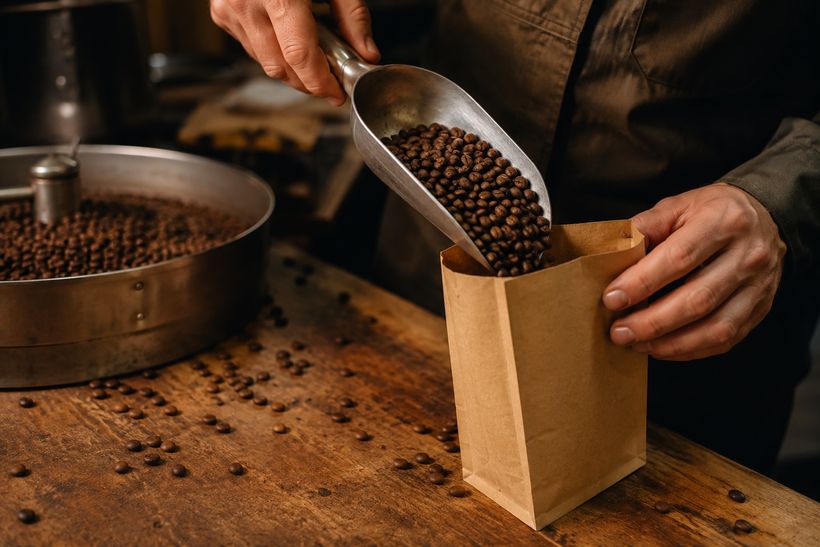
From green bean to your cup
Roasted to order the morning it ships, in small drums so nothing sits on a shelf. We buy direct from a growers’ co-op — above Fairtrade — and tuck a card in every bag telling you exactly who grew it and when it was roasted.
 360°
360°The essentials
See all
Good to know


Join the
trip list
Field notes & early access.
Loved by 4,000+
★ 4.9 average
“Lives on my desk now — the sage goes with everything.”

“Comes to every class — keeps water cold for hours.”

“Took it up the coast trail — still icy at the top.”

“Goes everywhere in my tote — doesn’t leak, ever.”

“The bamboo cap feels premium and the colour is lovely.”
Pages people actually shipped.
Three storefronts built with Klorr, running here exactly as they run on their own domains. Pick one, then scroll inside it or drag the rail.
Four steps. That's it.
From idea to live section in four simple steps — no theme surgery, no copy-paste from generic AI tools.
Start from scratch with AI, or paste an existing Shopify section to refine. Klorr works either way.
Describe the change in plain English, dial how editable it should be, then hit generate.
Your section is ready. Copy the Liquid with one click, or download it as a .liquid file.
Follow the short, checked-off setup guide — open your theme, paste, save, refresh.
Add a section
Start from scratch with AI, or paste existing code to refine.
Start from scratch
Describe what you want and Klorr builds it.
Edit existing section
Paste Liquid code from your theme and refine it.
Compose
Describe, refine, regenerate
Get your Liquid code
product-grid.liquid
Your section is ready. Choose how to take it to Shopify.
Copy code
Paste into your section file in Shopify
Download .liquid file
Save the section as a file
Open your theme code editor
In Shopify admin, go to Online Store → Themes → ⋯ → Edit code on your active theme.
Open the existing section file
In the sections/ folder, find and open the relevant .liquid file (e.g. product-grid.liquid).
Replace the code
Open the Code tab on the right, click Copy. In your Shopify file, select all (Cmd+A / Ctrl+A) and paste the new code (Cmd+V / Ctrl+V).
Save and refresh
Click Save in Shopify, then refresh your theme customizer. Your existing settings are preserved when schema IDs match.

Keep your theme
Your theme stays. The gaps get filled.
Describe the section your store is missing — Klorr writes it to sit in the theme you already run.
Start buildingYou stay in control.
No dev round-trips.
klorr exposes every part of your section as native Shopify theme-editor controls — so you fine-tune copy, colours and layout yourself, right in the customizer.
Fine-tune in Shopify's own editor
Maximum editability by design — text, colours, ranges and blocks all surface as native settings. Tweak it live, no back-and-forth with a developer.
Conversion-focused suggestions as you build
klorr flags real-time improvements while you compose — clearer CTAs, trust signals, faster-loading markup — so each section is shaped to sell, not just to look good.